Z Contouring
Mode: Expert.
Variable: zaa_enabled.
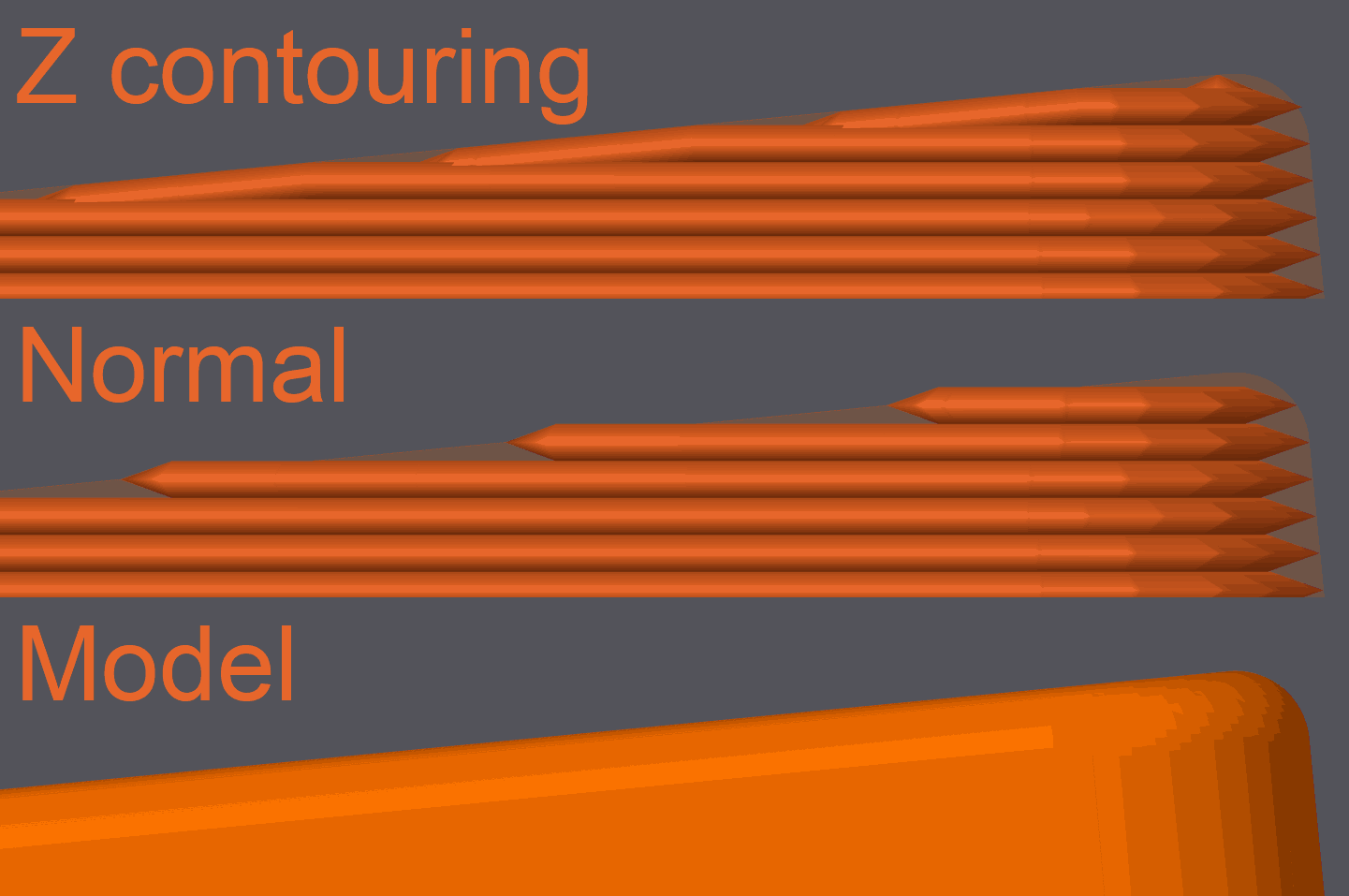
Z contouring, also called Z-layer anti-aliasing or ZAA, reduces visible stair-stepping on curved and sloped top surfaces by adjusting the Z height of individual extrusion points so the toolpath follows the original model surface more closely.
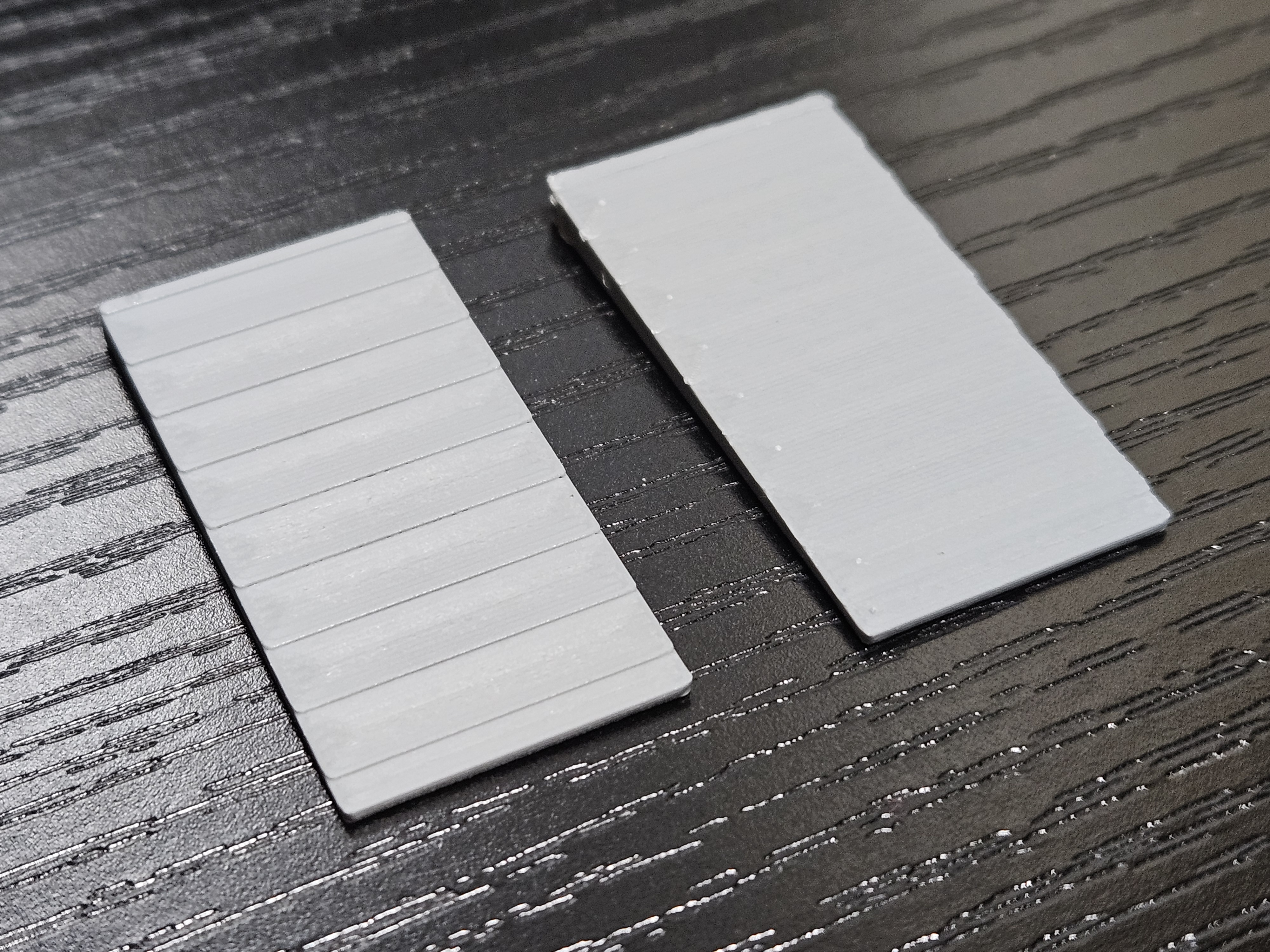
Instead of keeping every move at a single flat Z for the whole layer, OrcaSlicer processes eligible top-surface toolpaths and emits varying Z values inside the affected layer.
This can noticeably smooth domes, chamfers, shallow slopes, and similar top-facing geometry without changing the nominal layer height of the rest of the print.
Note
Current implementation targets top-facing curved or sloped surfaces.
Downward-facing or upside-down curves are not handled.
Minimize wall height angle
Mode: Expert.
Variable: zaa_minimize_perimeter_height.
Reduce the height of top-surface perimeters so they better match the model edge on shallow slopes.
This setting affects both internal and external perimeters.
Set 0 to disable it.
Although 35 degrees is a reasonable starting point, the current implementation defaults to 0, so this behavior is off unless you enable it explicitly.
Minimum z height
Mode: Expert.
Variable: zaa_min_z.
Minimum local layer height allowed for contoured toolpaths. This setting also controls the slicing plane used for contoured layers.
- Lower values allow stronger contouring but leave less minimum layer thickness.
- Higher values reduce the amount of contouring and keep the adjusted path closer to the nominal layer height.
Don't alternate fill direction
Mode: Expert.
Variable: zaa_dont_alternate_fill_direction.
Keep fill direction consistent from layer to layer on contoured layers instead of alternating it.
This can help produce a more consistent surface pattern on curved top surfaces. It only has an effect when Z contouring is enabled for that region.