Fuzzy Skin
Mode: Simple.
Variable: fuzzy_skin.
Fuzzy skin randomly perturbs the wall path to produce a deliberately rough, matte appearance on the model surface.
These settings control where the effect is applied, how the noise is generated, and how aggressive the displacement or extrusion modulation is.
Useful for creating a textures or hide surface imperfections but will increase print time and will affect dimensional accuracy.
- Fuzzy Skin Mode
- Fuzzy Skin Generator Mode
- Noise Type
- Point distance
- Skin thickness
- Skin feature size
- Skin Noise Octaves
- Skin Noise Persistence
- Apply fuzzy skin to first layer
- Credits
Fuzzy Skin Mode
Mode: Simple.
Variable: fuzzy_skin_mode.
Choose which parts of the model receive the fuzzy-skin effect.
Contour
Apply fuzzy skin only to the outermost contour (external perimeter) of the model.
Useful for creating a textured edge while keeping the inner surfaces smooth.
Hole
Apply fuzzy skin only to interior holes and cutouts. This can add grip or visual interest to negative features without affecting the outer surface.
Contour and Hole
Apply fuzzy skin to both the outer contour and interior holes. Useful when you want the rough texture to appear on negative features as well.
Painted Only
Apply fuzzy skin only to areas that have been manually painted with the Fuzzy Skin Paint Tool.
This allows for precise control over where the texture is applied, ideal for adding grip to specific areas or creating custom patterns.
All Walls
Apply fuzzy skin to every wall (external and internal). This gives the strongest overall textured appearance but will increase slicing and print time considerably.
Fuzzy Skin Generator Mode
Select the underlying method used to produce the fuzzy effect. Each mode has different trade-offs for strength, speed and mechanical load.
Displacement
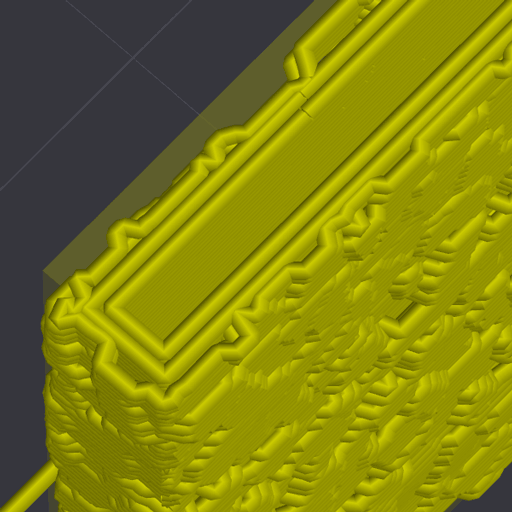
The classic method is when the pattern on the walls is achieved by shifting the printhead perpendicular to the wall.
It gives a predictable result, but decreases the strength entire shells and open the pores inside the walls. It also increases the mechanical stress on the kinematics of the printer. The speed of general printing is slowing down.
Extrusion
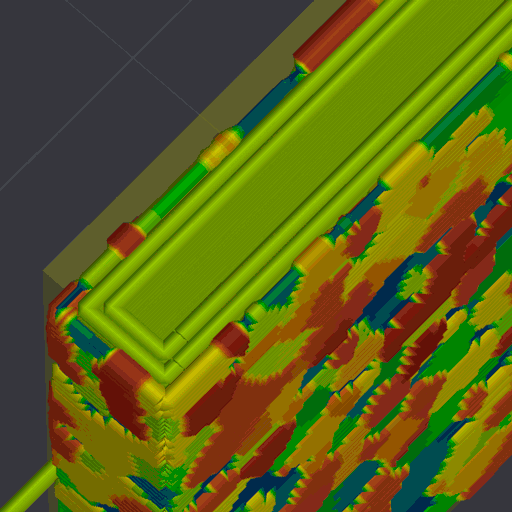
The fuzzy skin condition is obtained by changing the amount of extruded plastic as the print head moves linearly. There is no extra load on the kinematics, there is no decrease in the printing speed, the pores do not open, but the drawing turns out to be smoother by a factor of 2. It is suitable for creating "loose" walls to reduce internal stress into extruded plastic, or masking printing defects on the side walls - a matte effect.
Caution
The "Fuzzy skin thicknesses" parameter cannot be more than about 70%-125% (selected individually for different conditions) of the nozzle diameter! This is a complex condition that also depends on the height of the layer, and determines how thin the lines can be extruded.
Arachne wall generator mode should also be enabled.
Combined
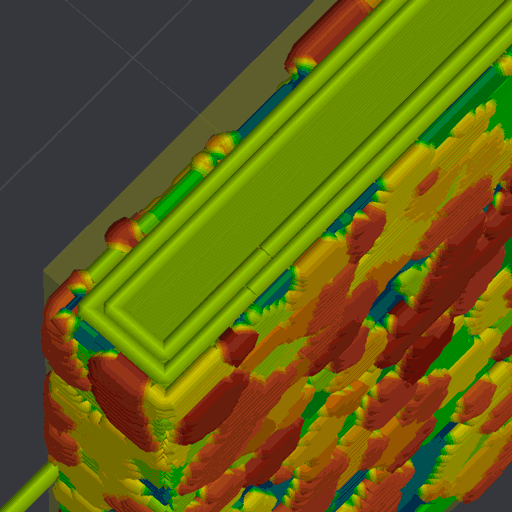
This is a combination of Displacement and Extrusion modes. The clarity of the drawing is the same in the classic mode, but the walls remain strong and tight. The load on the kinematics is 2 times lower. The printing speed is faster than in Displacement mode, but the elapsed time will still be longer.
Warning
The limits on line thickness are the same as in the Extrusion mode.
Noise Type
Mode: Simple.
Variable: fuzzy_skin_noise_type.
Select the noise algorithm used to generate the random offsets. Different noise types produce distinct visual textures.
Classic
Simple uniform random noise. Produces a coarse, irregular texture.
Perlin
Perlin noise generates smooth, natural-looking variations with coherent structure.
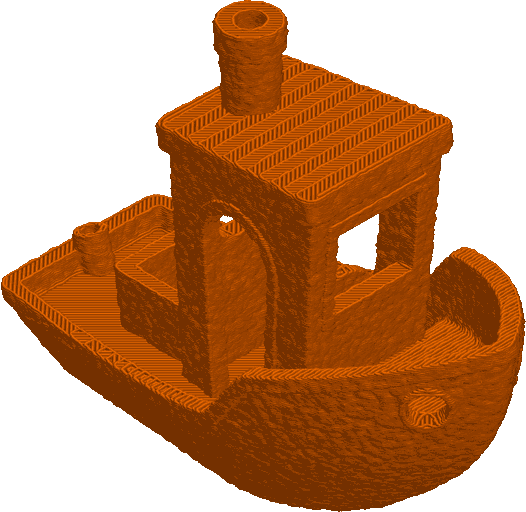
Billow
Billow noise is similar to Perlin noise, but has a clumpier appearance. It can create more pronounced features and is often used for natural textures.
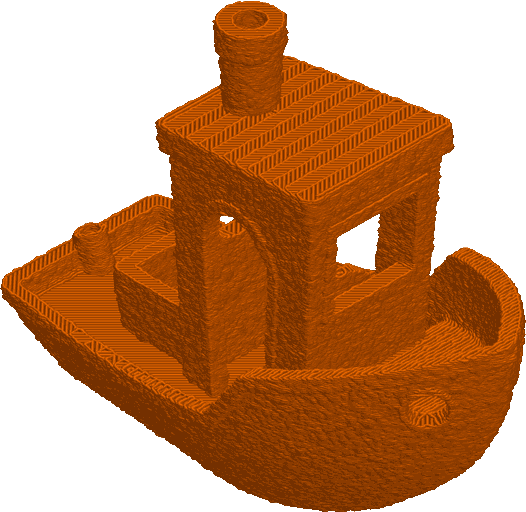
Ridged Multifractal
Creates sharp, jagged features and high-contrast detail. Useful for stone- or marble-like textures.
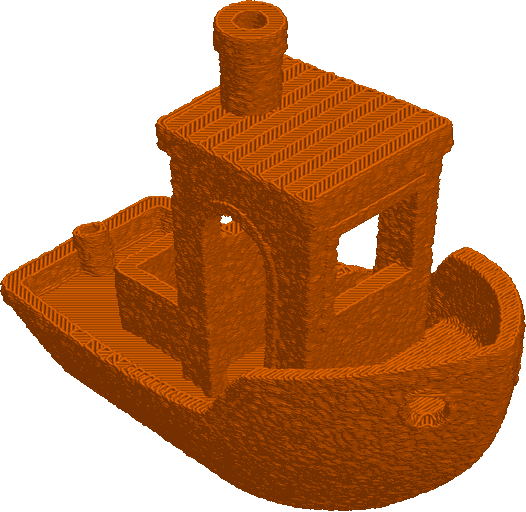
Voronoi
Voronoi noise divides the surface into Voronoi cells and displaces each cell independently, creating a patchwork or cellular texture.
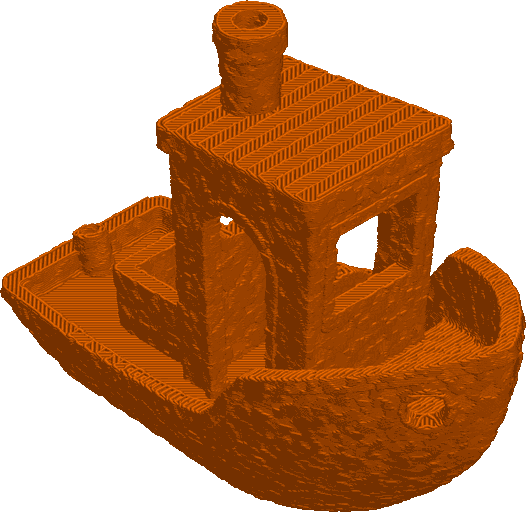
Ripple
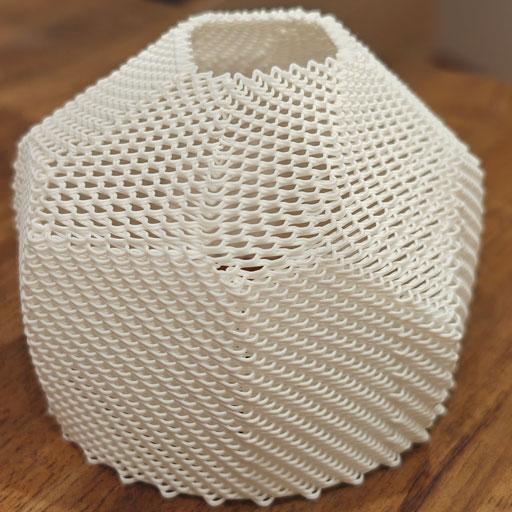
The Ripple noise type creates a regular, wave-like pattern of ripples across the surface.
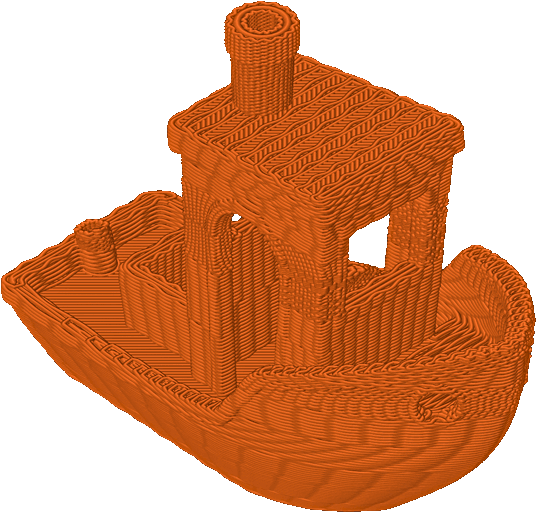
This is useful for decorative purposes on models that do not have abrupt changes in geometry or holes that create multiple print islands (closed loops), since the number of Ripples is applied to each closed loop and can cause discontinuities between layers.
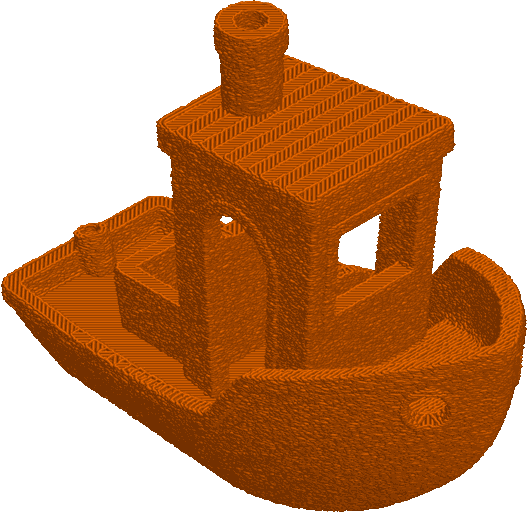
A clear example is a 3DBenchy, whose windows create small print islands where the same number of loops is applied as on the hull of the boat, where there is more space for the same number of loops.
Ripples per layer
Mode: Advanced.
Variable: fuzzy_skin_ripples_per_layer.
Controls how many full cycles of ripples will be added per layer.
Ripple offset
Mode: Advanced.
Variable: fuzzy_skin_ripple_offset.
Shifts the ripple phase forward along the print path by the specified percentage of a wavelength each layer period. Values are specified between 0% and 100% (0% = no shift, 100% = a full-wavelength shift).
- 0% keeps every layer identical.
- 50% shifts the pattern by half a wavelength, effectively inverting the phase.
- 100% shifts the pattern by a full wavelength, returning to the original phase.
The shift is applied once every number of layers set by Layers between ripple offset, so layers within the same group are printed identically.
Layers between ripple offset
Mode: Advanced.
Variable: fuzzy_skin_layers_between_ripple_offset.
Specifies how many consecutive layers share the same ripple phase before the offset is applied.
For example:
- 1 = Layer 1 is printed with the base ripple pattern, then layer 2 is shifted by the configured offset, then layer 3 returns to the base pattern, and so on.
- 3 = Layers 1 to 3 are printed with the base ripple pattern, then layers 4 to 6 are shifted by the configured offset, then layers 7 to 9 return to the base pattern, etc.
Point distance
Mode: Simple.
Variable: fuzzy_skin_point_distance.
Average distance between random sample points along each line segment.
Smaller values add more detail and increase computation; larger values produce coarser, faster results.
Skin thickness
Mode: Simple.
Variable: fuzzy_skin_thickness.
Maximum lateral width (in mm) over which points can be displaced. This defines how far the wall can be jittered.
Keep this below or near your outer wall line width and within nozzle/flow limits for reliable prints.
Skin feature size
Mode: Advanced.
Variable: fuzzy_skin_scale.
Base size of coherent noise features, in mm. Larger values yield bigger, more prominent structures; smaller values give fine-grained texture.
Skin Noise Octaves
Mode: Advanced.
Variable: fuzzy_skin_octaves.
The number of octaves of coherent noise to use. Higher values increase the detail of the noise, but also increase computation time.
Skin Noise Persistence
Mode: Advanced.
Variable: fuzzy_skin_persistence.
Controls how amplitude decays across octaves. Lower persistence results in smoother noise; higher persistence keeps finer-scale detail stronger.
Apply fuzzy skin to first layer
Mode: Simple.
Variable: fuzzy_skin_first_layer.
Enable to apply fuzzy skin to the first layer.
Caution
Can impact bed adhesion and surface contact.
Credits
- Generator Mode author: @pi-squared-studio.